My Homelab is a Surface Pro 9
Running a converged microservices stack with Docker, Caddy, and CrowdSec on limited hardware.
The Hardware Constraint
Most homelabs start with a Raspberry Pi cluster or an old desktop tower tucked away in a closet. Mine is a Microsoft Surface Pro 9 (i5-1235U, 8GB RAM).
It served me well as a tablet during high school, but when I moved to ETH, it became my first Linux machine. Now, it runs my entire digital life. Because I only have 8GB of RAM, I can't afford to be wasteful. I can't just spin up a separate database container for every single service. I needed a "converged" architecture.
The Architecture
I use Docker Compose to orchestrate everything. The core philosophy is Shared Resources:
- Reverse Proxy: Caddy handles SSL and ingress automation.
- Database: A single PostgreSQL 16 instance acts as the central brain, serving Vikunja, OwnCloud, and Linkwarden simultaneously.
- Cache: A single Redis instance shared across services.
- Security: CrowdSec reading Caddy logs in real-time.
The Performance Stats
The proof is in the numbers. By sharing the database and cache, the efficiency is incredibly high.
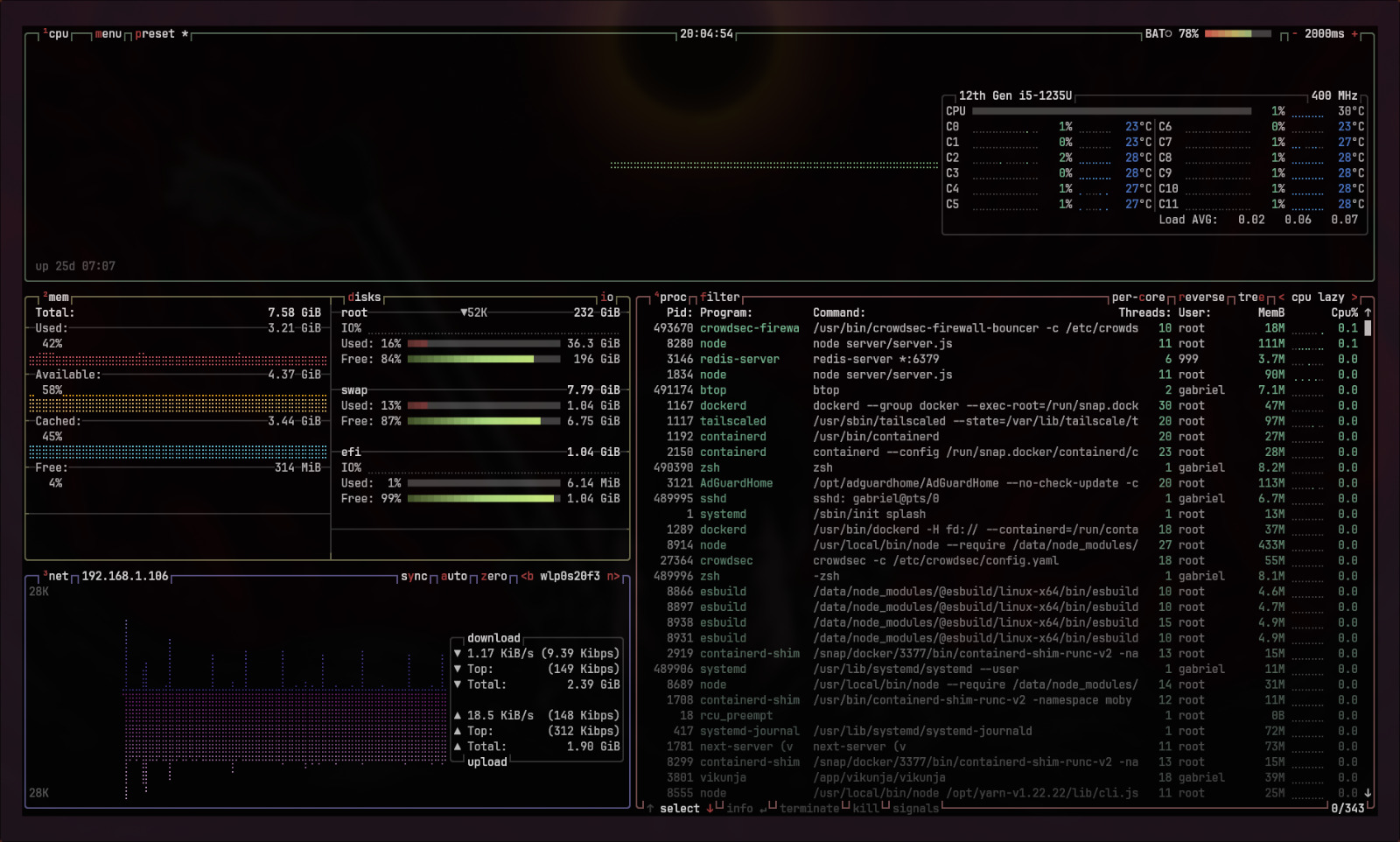
Here is a live snapshot of the memory usage:
~ ❯ free -h
              total        used        free      shared  buff/cache   available
Mem:          7.6Gi       3.3Gi       335Mi        61Mi       4.4Gi       4.3Gi
I am running 10 active containers and using only 3.3Gi of RAM, leaving more than half the system resources free for other tasks.
Here is the breakdown by container:
| Service | Memory Usage | Technology | Note |
|---|---|---|---|
| Linkwarden | ~1.54 GiB | Node.js | The heaviest container by far (Next.js app). |
| Uptime Kuma | 130 MiB | Node.js | Monitoring dashboard. |
| AdGuard Home | 115 MiB | Go | DNS filtering. |
| OwnCloud | 78 MiB | PHP/C++ | File server. |
| Postgres | 77 MiB | C | Hosting DBs for 3 different apps. |
| Wallos | 49 MiB | PHP | Finance tracking. |
| CrowdSec | 30 MiB | Go | Intrusion prevention. |
| Caddy | 25 MiB | Go | Reverse Proxy. |
| Vikunja | 20 MiB | Go | To-Do list (backend). |
| Redis | 3 MiB | C | Shared Cache. |
Note how lightweight the Go and C-based services are compared to the Node.js ones. A single Postgres instance serving multiple apps for just 77MB is a huge win.
The "Split-Horizon" DNS
One of my main requirements was accessing my services (like tasks.lab.gawindlin.com) seamlessly, whether I am at home or at university.
I achieved this using Split-Horizon DNS and Tailscale:
- Publicly: The domains point to my Tailscale IP (or are blocked entirely if not on VPN).
- Internally: I run AdGuard Home on port 53. It rewrites DNS requests for
*.lab.gawindlin.comto the local LAN IP of the Surface Pro.
This setup ensures that I never have to toggle Wi-Fi or change URLs. It just works.
Security: Caddy + CrowdSec
Exposing services is risky, so I automated intrusion prevention. I configured Caddy to output JSON logs, which CrowdSec watches in real-time. If an IP scans too many non-existent URLs (404s) or tries to brute-force a password, CrowdSec bans them at the container level.
Here is how the integration looks in my docker-compose.yml:
services:
  # Caddy: The Gateway
  caddy:
    image: caddy:latest
    container_name: caddy
    restart: unless-stopped
    ports:
      - "80:80"
      - "443:443"
    environment:
      - CADDY_INGRESS_NETWORKS=lab_net
    networks:
      - lab_net
    volumes:
      - ./Caddyfile:/etc/caddy/Caddyfile
      - caddy_logs:/var/log/caddy # Shared volume for logs

  # CrowdSec: The Bouncer
  crowdsec:
    image: crowdsecurity/crowdsec:latest
    container_name: crowdsec
    restart: unless-stopped
    environment:
      Collections: "crowdsecurity/caddy"
    volumes:
      - /var/run/docker.sock:/var/run/docker.sock:ro
      - caddy_logs:/var/log/caddy:ro # Read-only access to logs
      - ./crowdsec/acquis.yaml:/etc/crowdsec/acquis.yaml
    networks:
      - lab_net

volumes:
  caddy_logs:
Conclusion
Running a homelab doesn't require a rack server. With a bit of optimization—sharing your database, using lightweight containers like Caddy, and carefully monitoring resources—you can run a professional-grade infrastructure on a tablet. I will document more about this project here and on my Codeberg.